
Shelly PM Mini and Pro PM: see and control where your power goes
Your power bill tells you how much electricity the house used. It does not tell you which appliance used it, or when. Two small families of devices from Shelly answer exactly that, circuit by circuit: the Shelly PM Mini, a tiny power meter, and the Shelly Pro PM range, switches for the switchboard that measure as they go. This is what they look like, how they are connected, what they do, and how to use them to cut what you pay.
What they look like
They do the same job in two very different places. The PM Mini is small enough to hide behind the thing it is measuring. The Pro PM range lives in your switchboard, clipped onto the same rail as your circuit breakers.
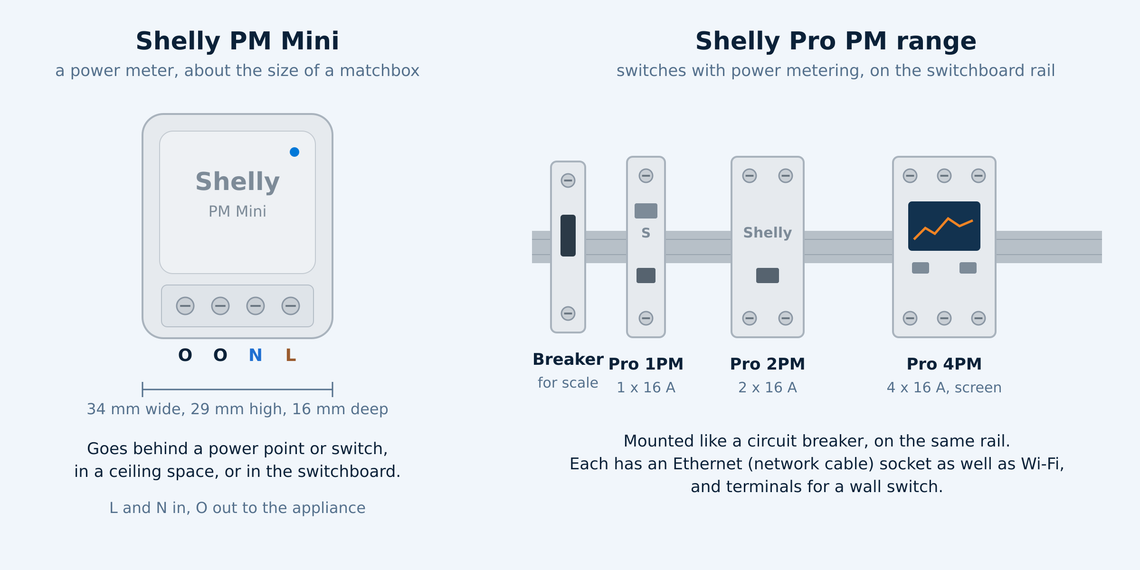
Shelly PM Mini
A light grey module about the size of a matchbox: 34 mm wide, 29 mm high and 16 mm deep, and 13 grams.
Four screw terminals along one edge: L (active in), N (neutral) and two O terminals (active out to the appliance).
It goes in the wall cavity behind a power point or switch, in a ceiling space beside a fixed appliance, or in the switchboard.
It is a meter only. It measures everything that flows through it, up to 16 amps (3,840 watts), but it cannot switch the appliance on or off.
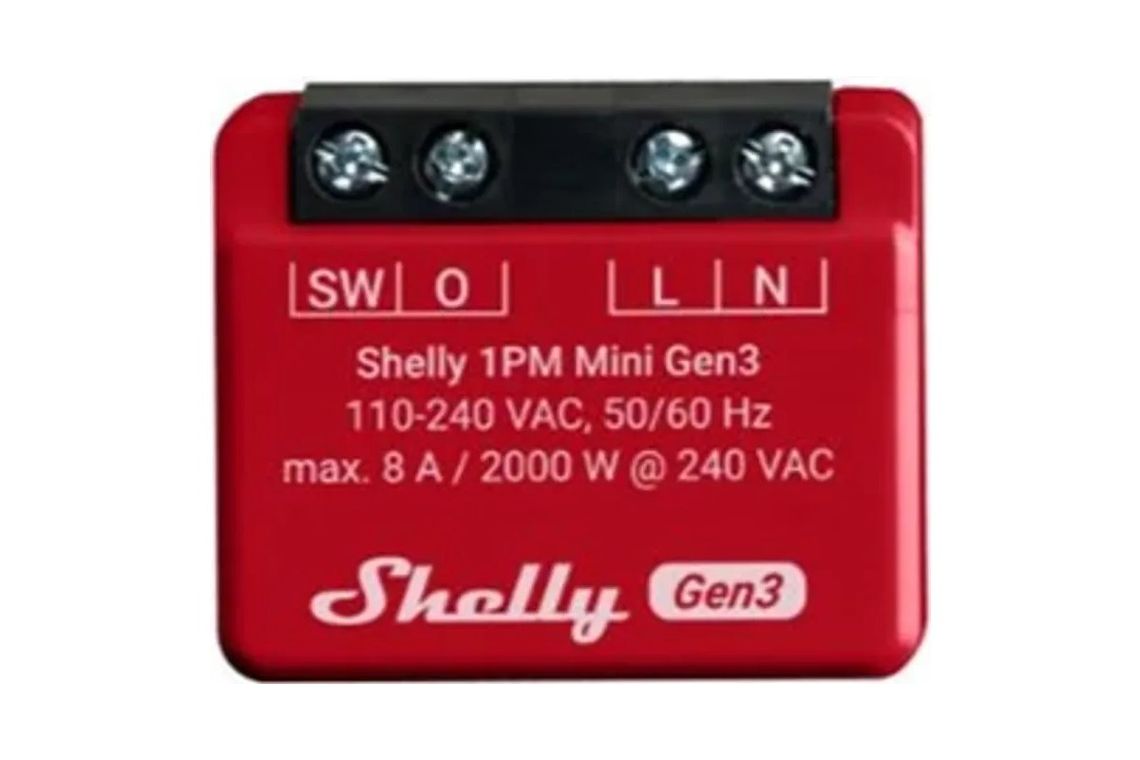
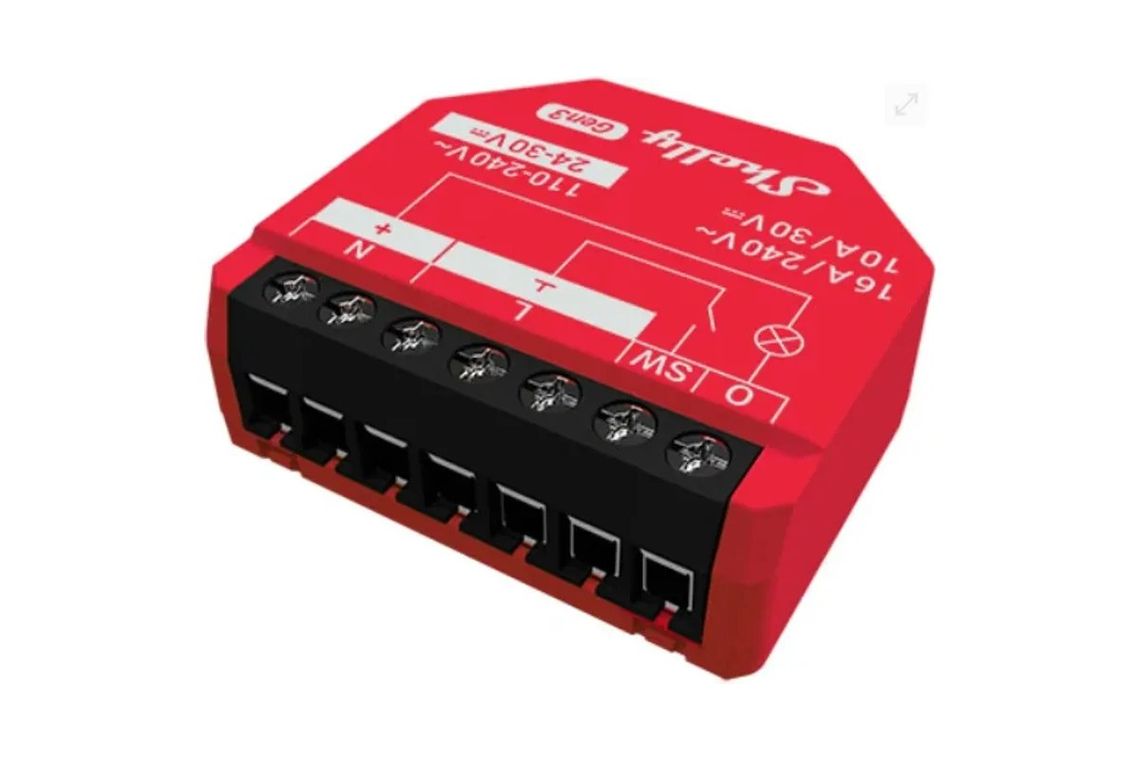
Need it to switch as well? The Shelly 1PM Mini Gen3 is the same size and adds a switch rated at 8 amps (2,000 watts). The Shelly 1PM Gen3 is a little larger and switches up to 16 amps. Both measure the same way the PM Mini does.
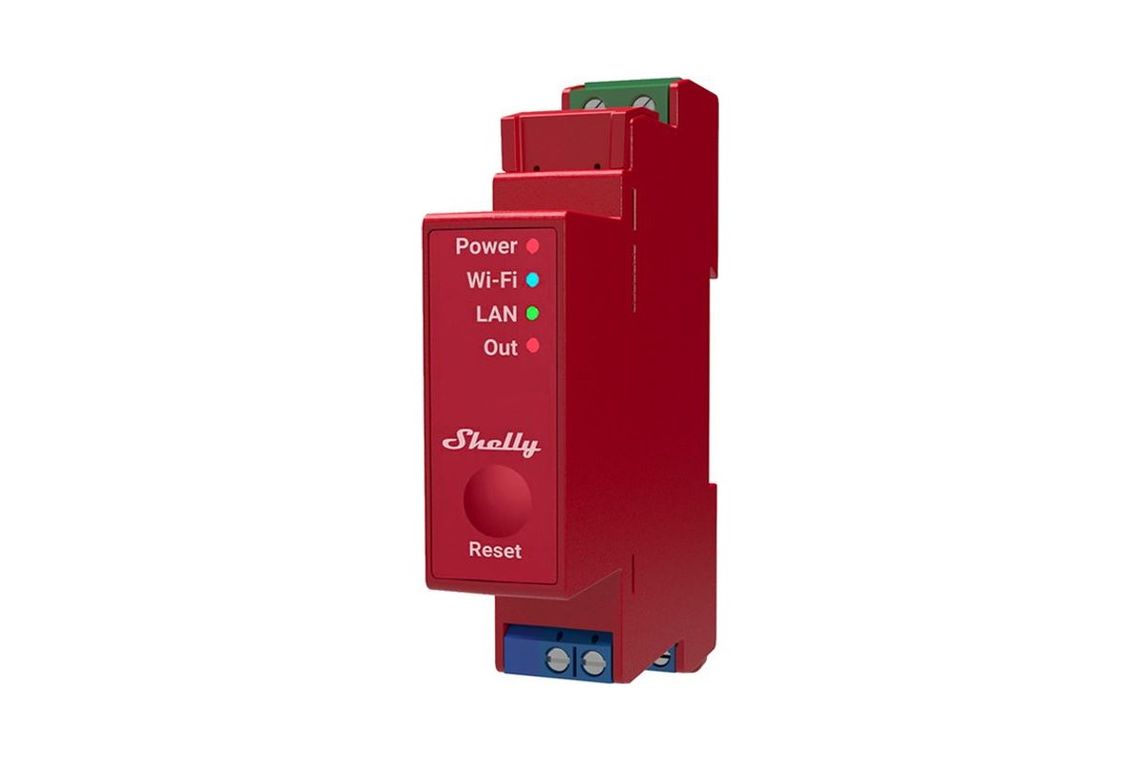
Shelly Pro 1PM, Pro 2PM and Pro 4PM
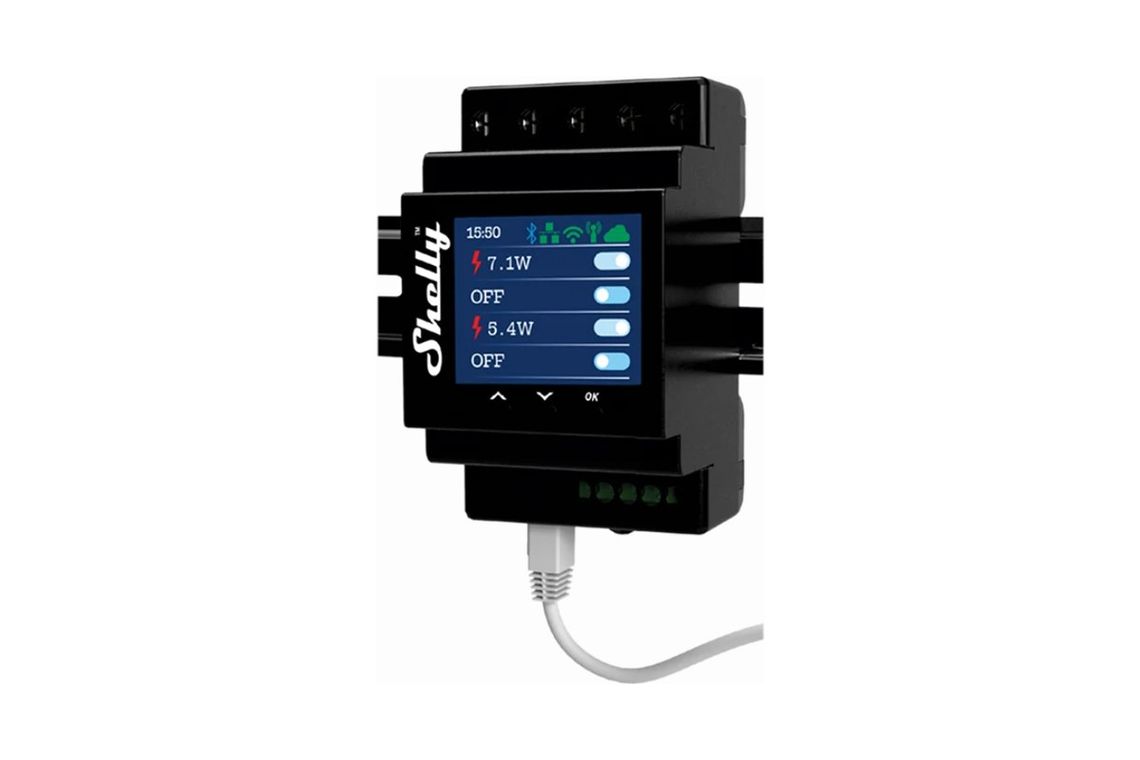
Modules for the switchboard, mounted on the DIN rail (the standard metal rail your circuit breakers clip onto), so they look like part of the board.
Pro 1PM: one switched output of 16 amps, about the width of a single circuit breaker.
Pro 2PM: two outputs of 16 amps each, up to 25 amps in total.
Pro 4PM: four outputs of 16 amps each, up to 40 amps in total, with a small colour screen and buttons on the front showing each channel.
Each one is a switch and a meter: it turns its circuits on and off and measures what each one uses.
Each has an Ethernet socket (for a network cable to your router) as well as Wi-Fi, and inputs for an ordinary wall switch, so the circuit can still be switched by hand.
PM Mini | Pro PM range | |
|---|---|---|
Where it goes | Behind a power point or switch, or beside an appliance | In the switchboard, on the DIN rail |
Measures | Yes, one circuit | Yes, each circuit separately |
Switches on and off | No | Yes, up to 16 amps a circuit |
Circuits | 1 | 1, 2 or 4 |
Connects by | Wi-Fi and Bluetooth | Ethernet, Wi-Fi and Bluetooth |
Best for | Finding out what one appliance really uses | Measuring and controlling whole circuits |
How they connect
To the wiring
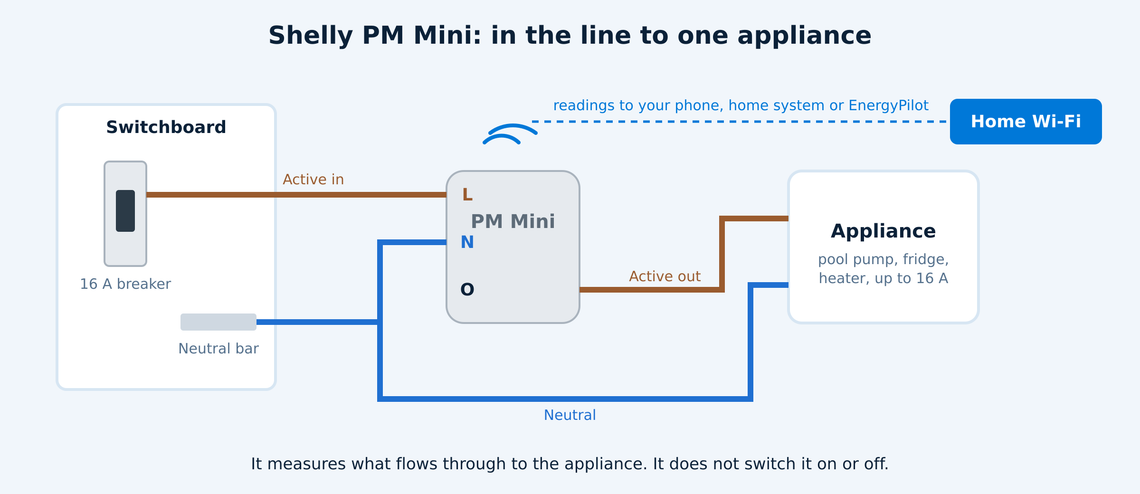
Both sit in the line between the supply and what they measure, so all of the current for that appliance or circuit passes through them.
The PM Mini takes the active and neutral from the circuit, and sends the active on to the appliance through its output terminal. The appliance's neutral goes back the usual way. The circuit needs its own protection in the switchboard: a circuit breaker of no more than 16 amps.
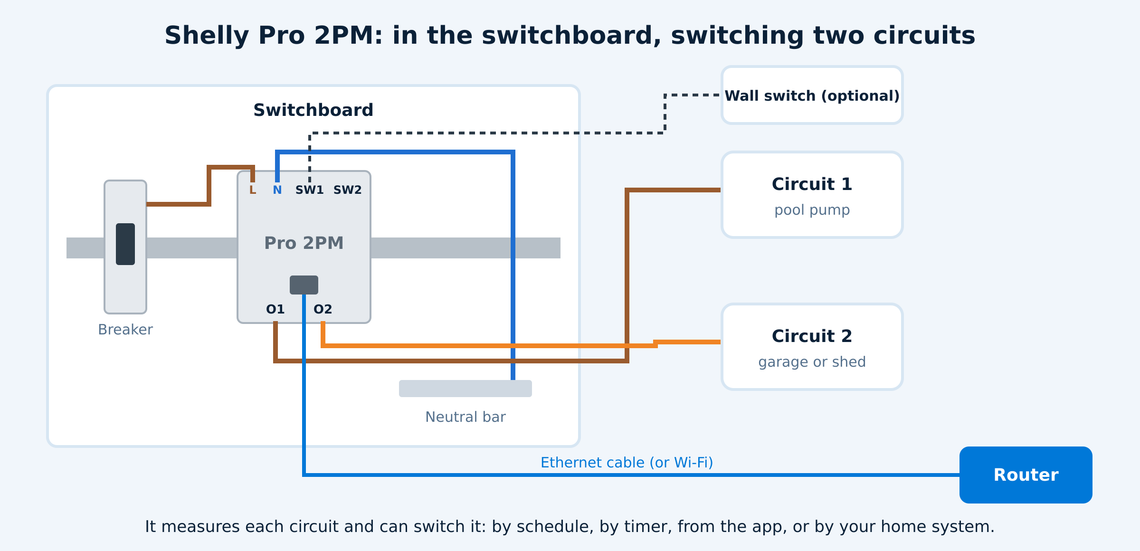
A Pro PM is fed from a circuit breaker in the switchboard, and each of its outputs becomes a circuit of its own: a pool pump on one, the garage on another. Its switch inputs can be wired to an ordinary wall switch, so the circuit still works by hand, and an Ethernet cable runs to your router.
This is a job for a licensed electrician. In Australia, anything wired into the fixed wiring of a house, behind a power point, in a ceiling or in the switchboard, must be installed by a licensed electrician. They will also check the circuit is protected properly, and that the load suits the device: large loads such as a hot water system, ducted air conditioning or an oven are often better switched through a contactor (a heavy duty relay) that the Shelly controls, rather than through the Shelly itself.
To your home network
Wi-Fi: both join your home Wi-Fi. The PM Mini uses Wi-Fi only; the Pro range can use Wi-Fi or a network cable.
Ethernet: a cable from the Pro PM to your router is the steadier choice inside a metal switchboard, where Wi-Fi often struggles.
Bluetooth: used to set the device up from your phone, and on some models to read Shelly's Bluetooth sensors.
Local first: each device has its own web page on your network, and works without the internet. Shelly's app and cloud are there if you want them, not required.
What they do
Measure
Each device measures its circuit continuously:
Power in watts (W): what is being drawn right now.
Energy in kilowatt hours (kWh): what has been used over time, the same unit your power bill charges for. Readings are kept minute by minute.
Voltage (V) and current (amps, A): useful for spotting a supply that runs high, or a motor drawing more than it should.
Power factor and frequency: how efficiently a motor or power supply uses its current, and the grid's frequency.
Returned energy: energy flowing the other way, for a circuit that can feed power back.
Control (Pro PM range)
Switch each circuit on and off from the app, the device's own web page, a wall switch, or another system.
Schedules (run the pool pump from 10 am to 2 pm) and timers (turn the circuit off again after an hour).
Protection limits: switch the circuit off if it draws more power or current than you set, if the voltage goes too high or too low, or if the device gets too hot.
Scripts: small programs that run on the device itself, for example to switch off a heater once it has used a set amount of energy.
Talk to other systems
Both families have an open local API (application programming interface) and support MQTT (a messaging standard used by home automation systems), so a home energy system can read the measurements and switch the circuits directly over your own network, with no cloud service in between.
Using them to monitor and control your energy
Find the always-on loads. Put a meter on the circuits that run overnight. A second fridge, a pool pump left on, or a fish tank heater often turns out to be a big share of the bill.
Run the big loads on your own solar. Switch the pool pump, a pool heater or a garage circuit to run in the middle of the day, when your panels are making more than the house uses and exporting it for a few cents.
Keep off the expensive hours. On a time of use plan, schedule anything that can wait to run outside the peak, typically 4 pm to 9 pm.
Check an appliance before you replace it. A week on a PM Mini tells you exactly what an old fridge or freezer costs to run, and whether a new one pays for itself.
Catch faults early. A pump or motor that starts drawing more power than usual is often the first sign of a problem. A protection limit can switch it off before it does damage.
A note on bigger loads: these devices measure up to 16 amps a circuit. Most electric vehicle chargers, ducted air conditioners and ovens draw more than that. For those, and for the house as a whole, Shelly's clamp meters, such as the Shelly Pro EM and Pro 3EM, measure without the current passing through the device.
Where EnergyPilot fits
Measuring is the first half. The saving comes from acting on it: running the right loads at the right time, every day, without anyone having to remember. That is what EnergyPilot does. Meters like these tell it what each circuit really draws, and switched circuits give it something to control. If you are thinking about adding them, talk to us first, so they go on the circuits that will actually make a difference to your bill.
Specifications are from Shelly's published documentation as at October 2026 (PM Mini Gen3; Pro 1PM, 2PM and 4PM). Shelly updates its range regularly, and newer generations may differ; check the model before you buy.